
Analysis / 3D production
SolidCraft and CADCraft, open CAD built for AI agents
Product teams increasingly want to automate CAD operations without building fragile systems that imitate mouse clicks. SolidCraft and CADCraft offer open-source alternatives, but their current capabilities need careful testing before they can be trusted with production files.
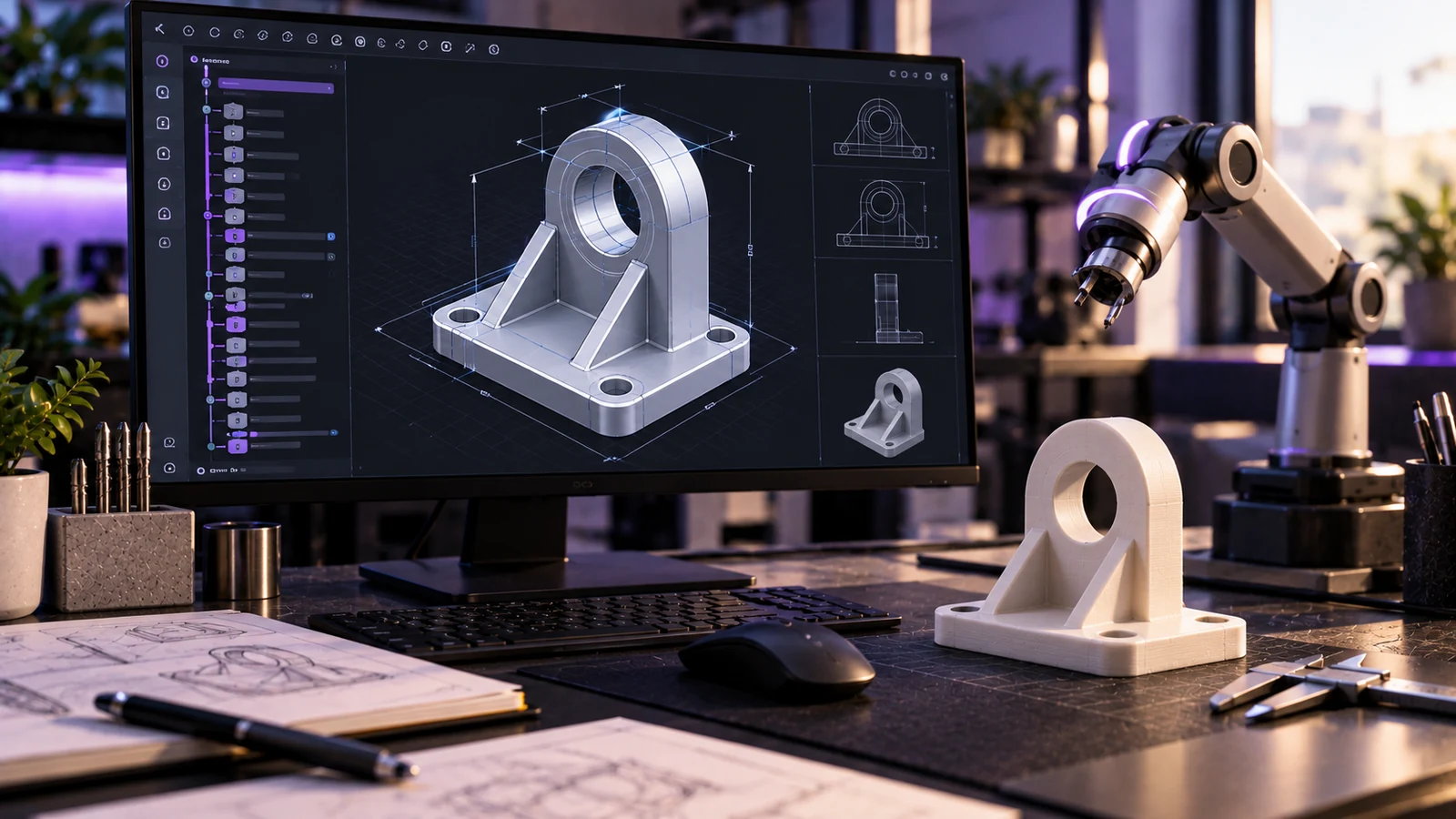
Open-source CAD tools designed for AI agents are already available, but they are better suited to controlled experiments than critical engineering work. SolidCraft supports parametric 3D modelling through structured commands and MCP, while CADCraft concentrates on 2D drafting.
Both applications are written in Rust and attracted attention in mid-October 2026. Their significance lies in making CAD operations accessible to automation rather than relying entirely on conventional graphical interfaces.
Hackaday reported on SolidCraft on 17 October 2026, highlighting its desktop, browser and agent interfaces. On 19 October 2026, 3D Printing Industry examined both projects and their substantial remaining limitations.
SolidCraft makes parametric modelling accessible through commands
SolidCraft is an open-source 3D CAD application built around a parametric feature timeline.
The important architectural decision is that every action available through the interface corresponds to a command with JSON parameters.
The application also provides a headless command-line interface and a built-in MCP server.
This creates several ways to perform the same modelling operation: interact with the desktop application, use the browser interface or call the underlying tools programmatically.
Imagine designing a product enclosure with a defined width, height and wall thickness.
An automated workflow could create the initial sketch, extrude it and modify dimensions to produce alternative configurations. Changes would be represented in the parametric history rather than being applied only to a finished mesh.
3D Printing Industry lists features including extrusion, revolution, sweep, loft, fillets, shells, holes, threads and patterns.
The application also supports assemblies with joints and sheet-metal operations.
Supported exports include STEP AP242, IGES, 3MF, STL and OBJ, with glTF and URDF also documented in the SolidCraft repository.
Why does MCP matter for CAD automation?
The Model Context Protocol allows an application to expose tools that compatible AI agents can discover and call.
For CAD, this provides a more direct approach than automating the interface through screen coordinates.
Instead of asking an agent to locate a button, an MCP tool can expose an operation with explicit parameters.
A test workflow might involve:
1. Providing dimensions for a simple mechanical component.
2. Creating a sketch and generating the initial solid.
3. Changing one parameter to produce a variant.
4. Exporting the resulting geometry.
5. Checking dimensions and topology independently.
This approach could be useful for configurable product families and repetitive design templates.
However, successful tool execution does not establish geometric correctness.
The agent might choose unsuitable dimensions, apply an operation to the wrong feature or misunderstand the design requirements.
Our guide to MCP and its practical applications explains how agent-to-tool connections work and what businesses should consider before deploying them.
CADCraft addresses a different problem: 2D drawings
CADCraft focuses on technical drafting rather than parametric 3D solids.
According to 3D Printing Industry, it can open DXF files from R12 through 2018, saving them in R2000 format.
It can also read DWG files and write R2000 output.
The main concern is file preservation.
Unsupported entities are discarded when a drawing is saved. As a result, opening a file successfully does not mean it can be edited and exported without losing information.
The project's own roadmap estimates functional coverage at 29% overall, 55% for 2D drafting and 0% for 3D modelling, using AutoCAD functionality as its reference.
These are project estimates, not independently certified compatibility figures.
Correct file interchange with AutoCAD itself had not been confirmed.
For any organisation exchanging drawings with suppliers, that uncertainty matters more than the ability to open a file in the first place.
SolidCraft vs CADCraft: what should you check?
| Criterion | What to check |
|---|---|
| Main purpose | SolidCraft handles parametric 3D solids; CADCraft focuses on 2D drafting. |
| Agent automation | SolidCraft exposes JSON commands, a headless CLI and MCP tools. |
| Parametric editing | SolidCraft maintains an editable feature timeline. |
| Solid operations | SolidCraft includes extrusion, revolution, patterns and other modelling features. |
| 3D exports | SolidCraft documents STEP AP242, IGES, 3MF, STL, OBJ, glTF and URDF. |
| Drawing interchange | CADCraft reads and writes DXF/DWG with documented limitations. |
| Data preservation | CADCraft may discard unsupported entities during saving. |
| Production readiness | Both require project-specific validation. |
| Licensing | SolidCraft offers MIT or Apache-2.0; check CADCraft terms separately. |
How reliable is SolidCraft today?
SolidCraft describes itself as early but usable for simple parts.
The project reports that 75 out of 76 reference parts matched selected geometric properties, including volume, surface area, centre of mass and bounding boxes.
These results, covered by 3D Printing Industry, are encouraging but do not demonstrate complete modelling accuracy or workflow equivalence.
Important capabilities remain outside its current scope.
They include mesh modelling, T-splines, advanced surfacing, simulation, CAM and 2D engineering drawings.
A STEP export should therefore be treated as an output requiring verification, particularly when components will be supplied for manufacturing.
SolidCraft uses MIT or Apache-2.0 licensing, as documented on GitHub. Its downloads are also described as unsigned, which should be considered before installing the software on production workstations.
How can a product team test these tools safely?
Start with a component whose dimensions and geometry are already known.
A rectangular housing with mounting holes is a useful test because the relevant measurements can be checked independently.
Create the part in SolidCraft, generate several dimensional variations and export them. Open those files in an established CAD application and compare the resulting geometry.
For CADCraft, work with copies of simple 2D drawings. Test saving and reopening them, paying particular attention to whether entities or properties disappear.
Keep source files untouched throughout the experiment.
It is also worth separating CAD automation from visual asset production. A mathematically suitable solid may still need further preparation before being used in real-time rendering.
Our analysis of AI-generated meshes in production workflows covers the distinction between generated geometry and production-ready assets.
What should you decide this week?
If your business works with simple parametric components, test SolidCraft by generating one known part and a small set of variations. Verify the exported geometry before connecting an AI agent to a larger workflow. Treat CADCraft as an experimental drafting tool and avoid using either application for safety-critical components without independent checks. If you want to automate product variants or prepare models for interactive 3D applications, tell us which modelling operations you need to automate so we can assess how they fit into your production process.
Sources
Checked on October 25, 2026