
Analysis / 3D production
Plasticity 2026.2 adds part libraries and constraints
Product designers often need accurate curved surfaces without adopting a complex engineering workflow for every visual change. Plasticity 2026.2 brings useful modelling improvements, but choosing between Indie and Studio depends on the files and features your projects require.
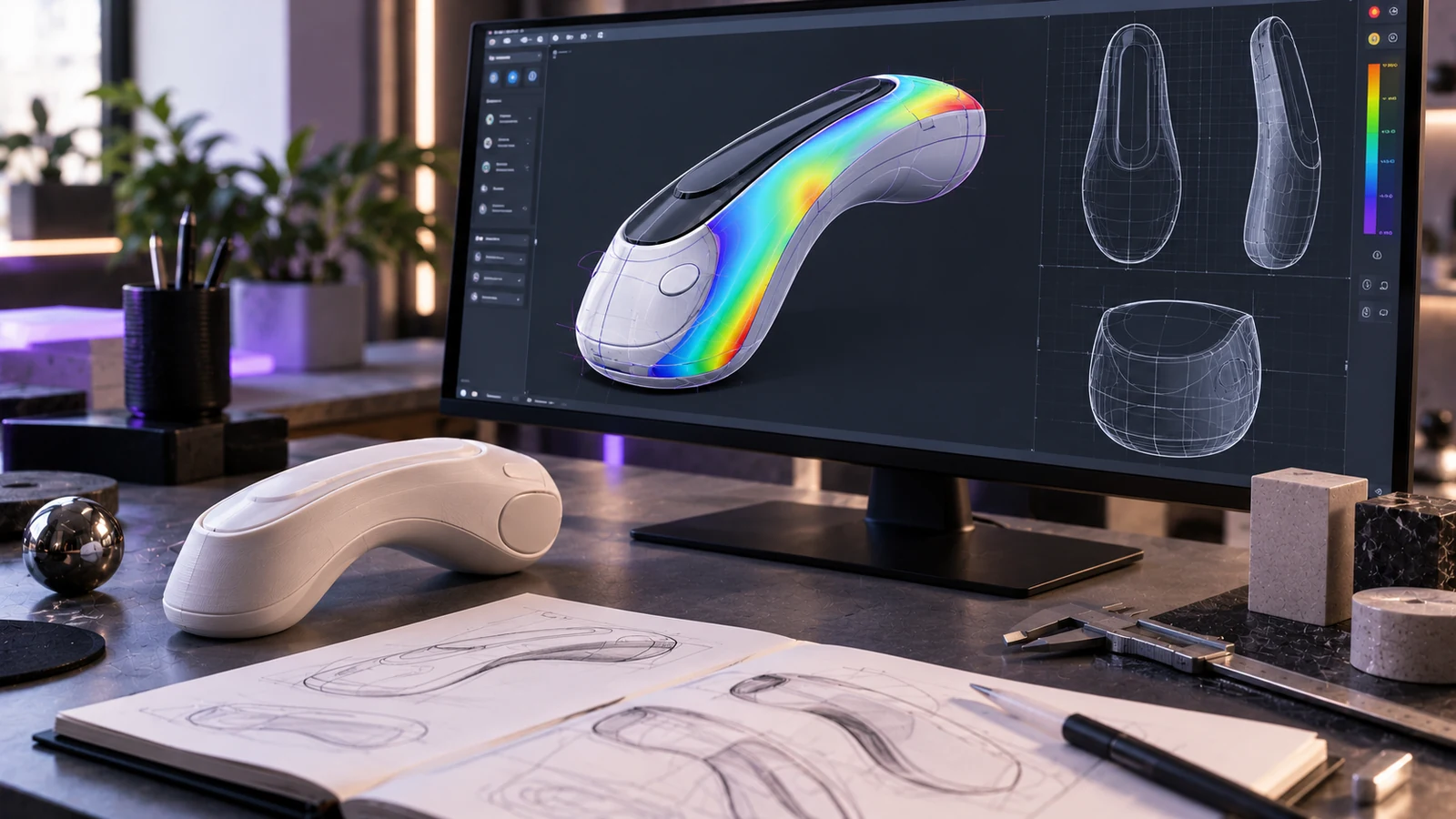
Plasticity 2026.2 is worth considering for product design and hard-surface modelling when direct editing of NURBS geometry is more important than a fully persistent parametric workflow. Its Indie edition costs $175, while Studio costs $299 and provides additional CAD formats and specialist surfacing tools.
Released on 19 October 2026, the update introduces reusable asset libraries, geometric constraints and improvements to surface alignment.
The official Plasticity release notes explain the new tools, while Digital Production provides a breakdown of pricing and licence differences.
Reusable assets make repeated product components easier to manage
The new Assets system is available in both Indie and Studio.
It allows designers to mark objects as reusable components, organise them through the Outliner and export collections for use in other projects.
These libraries are packaged as .plasticitypack files.
Once imported, components appear in the Assets tab and can be dragged directly into the viewport.
For product design, this could mean maintaining a collection of screws, hinges, buttons or mechanical connectors rather than modelling the same component repeatedly.
The approach is particularly useful for product families that share common parts.
According to Digital Production, linked assets can also be reloaded to restore their original geometry after local changes.
Libraries should be stored in stable locations, since moving their source files may require importing them again.
This feature improves component reuse without requiring designers to change their underlying modelling approach.
Studio introduces constraints, but they are not persistent
The new Constraint System is exclusive to Plasticity Studio.
It allows relationships to be established between curves and surfaces so those relationships can remain active during transformations.
For example, a designer can adjust one part of a curved housing while maintaining a defined continuity relationship with an adjacent surface.
That can make it easier to refine transitions between connected shapes.
However, the first implementation has a significant limitation.
Constraints currently exist only during the active editing session and are not saved in the Plasticity project file.
This is confirmed in the official release notes.
You can use constraints while modelling, but cannot assume those same relationships will be available after closing and reopening the project.
For work that requires persistent design relationships across multiple editing sessions, this distinction matters.
Plasticity's new system should therefore not be treated as a complete replacement for a history-based parametric CAD workflow.
Project Align and curvature analysis improve surface editing
Plasticity 2026.2 adds Project Align, which moves control vertices along the edge of a target surface towards a reference surface.
This provides a way to refine how neighbouring surfaces meet.
There is an unresolved documentation discrepancy.
The official release notes describe Project Align as a Studio-only feature, while the command documentation lists both Indie and Studio.
Until that difference is clarified, Indie buyers should not assume Project Align is included.
The release also improves Edge Align, previously called Align, and introduces a curvature analysis shader with three modes:
- Gaussian: visualises variations in surface curvature.
- Mean: helps examine overall surface smoothness.
- Max: highlights curvature characteristics that may complicate subsequent modelling operations.
Other additions include Home View and control-vertex editing in PolySplines.
Two features need particular care. Remove Nominal Surface is destructive when used with PolySplines, and Automatic Move remains experimental, although it can be disabled.
These changes are documented in Plasticity's 2026.2 release notes.
Plasticity Indie vs Studio: features, formats and licences
The practical differences concern advanced surfacing, file interoperability and licensing conditions.
| Feature | Indie | Studio |
|---|---|---|
| Price before tax | $175 | $299 |
| Licence type | Perpetual | Perpetual |
| Included updates | 12 months | 12 months |
| Authorised computers | 2 | 4 |
| Asset libraries | Yes | Yes |
| STEP, OBJ, STL and Parasolid | Yes | Yes |
| FBX import | Yes | Yes |
| Blender bridge | Yes | Yes |
| IGES and ACIS | No | Yes |
| Rhino import | No | Yes |
| DXF/DWG import | No | Yes, Windows only |
| PolySplines | No | Yes |
| Constraint System | No | Yes |
| xNURBS | No | Yes |
| Project Align | Unconfirmed | Yes |
Source: Digital Production, 21 October 2026.
Both editions use perpetual licences, but the 12-month update entitlement is separate from the right to keep using the software.
Companies with more than 10 employees must purchase Studio.
A 30-day trial is also available, with limited functionality and no permission for commercial use.
Which edition makes sense for product design?
Indie is appropriate when your main tasks involve creating product housings, hard-surface shapes and components intended for visualisation.
It supports common geometry formats and includes a Blender bridge, making it suitable for workflows where models are developed in Plasticity and prepared for rendering elsewhere.
Studio becomes more relevant when projects depend on IGES or ACIS exchange, Rhino imports or specialist tools such as PolySplines and xNURBS.
Its constraint system may also be useful for live surface editing, provided the session-only limitation is acceptable.
The most useful purchasing question is which file format your client, manufacturing partner or next application actually needs.
A component intended for a product render has different delivery requirements from a part being handed to an engineering supplier.
If automation and parametric commands are the main priority, our article on the open-source CAD projects SolidCraft and CADCraft examines another approach.
NURBS models still need mesh conversion for rendering and web use
Plasticity works with CAD solids and NURBS surfaces, while most real-time applications rely on polygon meshes.
A product model therefore needs to be tessellated before it can be used as a typical web or game-ready asset.
The mesh should preserve important curved surfaces without introducing unnecessary geometric complexity.
Materials, UVs and other optimisation work may also be required depending on the destination.
Our guide to preparing one GLB for four delivery channels explains why export requirements should influence asset preparation from the beginning.
For subsequent dimensional adjustments in Blender, tools such as GridSnap Free can support measurement and alignment.
This separation between CAD geometry and presentation assets is particularly important when the same product will appear in several interactive environments.
What should you decide this week?
Identify the file formats your projects need and test Plasticity using a representative product component. Choose Indie if its modelling tools and interchange options cover your work; assess Studio if you need advanced surfacing or additional CAD formats. Do not plan around saved geometric constraints until that capability is available. If you are preparing products for rendering or interactive configurators, tell us which models and delivery formats you need so we can assess an appropriate production workflow.
Sources
Checked on October 25, 2026